BSOD caused by EC
My first experience of BSOD on GNU/Linux
Before Issue
My ASUS laptop’s DC jack has been unstable for a long time and I have no intention to fix it. One thing is in the lap of the gods — power supply is stable, or bouncing.
After a bouncing happened, all events about GPU entered into a “metastable state”, including running nvidia-smi will make the terminal stuck and the whole process will turn into D status.
Incidence Happened in One Shot
One night I was in a Discord’s server’s voice chat and watching a stream, suddenly the screen was totally frozen, also with no audio output. At the first time I just supposed that was a network issue until I found I could not even move my cursor. The next second I forced a poweroff by giving a long press on the power button.
Sleep.
Morning, got up.
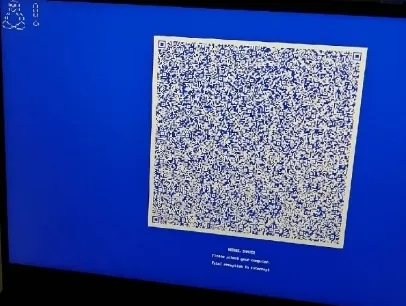
btw this feature (systemd-bsod) is not suitable for GNU/Linux I think. Instead of printing a super large QR code, a log only is enough.
btw again this QR code I’ve scanned for a long long time cuz it’s TOO BIG…
Here is the log that contains the majority of the problem.
Panic Report
Arch: x86_64
Version: 6.19.12-arch1-1
[    9.588772] NVRM: GPU0 nvAssertOkFailedNoLog: Assertion failed: Invalid data passed [NV_ERR_INVALID_DATA] (0x00000025) returned from PlatformRequestHandler failed to get target temp from SBIOS @ platform_request_handler_ctrl.c:2171
[    9.588789] NVRM: GPU0 nvAssertOkFailedNoLog: Assertion failed: Invalid data passed [NV_ERR_INVALID_DATA] (0x00000025) returned from PlatformRequestHandler failed to get platform power mode from SBIOS @ platform_request_handler_ctrl.c:2114
[    9.703032] nvidia 0000:01:00.0: [drm] Cannot find any crtc or sizes
[   11.615952] systemd-journald[575]: /var/log/journal/02c55036c25542cb919499dcd0c2a757/system.journal: Journal file corrupted, rotating.
[   11.638522] systemd-journald[575]: Failed to write entry to /var/log/journal/02c55036c25542cb919499dcd0c2a757/system.journal (28 items, 809 bytes) despite vacuuming, ignoring: Bad message
[   13.110988] systemd-logind[921]: segfault at 7f7207246f60 ip 00007f7207246f60 sp 00007ffcd6ce94c0 error 15 in libsystemd-shared-260.1-1.so[446f60,7f720719f000+14f000] likely on CPU 4 (core 2, socket 0)
[   13.724755] systemd[1]: segfault at ffffffffa2c012a6 ip ffffffffa2c012a6 sp 00007fffe304bac8 error 15 likely on CPU 11 (core 5, socket 0)
[   13.724790] systemd[1]: segfault at 0 ip 0000559d08300c40 sp 00007fffe304aeb8 error 6 in systemd[12c40,559d082f5000+f000] likely on CPU 11 (core 5, socket 0)
[   13.724803] systemd[1]: segfault at 0 ip 0000559d08300c40 sp 00007fffe304a2b8 error 6 in systemd[12c40,559d082f5000+f000] likely on CPU 11 (core 5, socket 0)
[   13.724812] systemd[1]: segfault at 0 ip 0000559d08300c40 sp 00007fffe30496b8 error 6 in systemd[12c40,559d082f5000+f000] likely on CPU 11 (core 5, socket 0)
[   13.724823] systemd[1]: segfault at 0 ip 0000559d08300c40 sp 00007fffe3048ab8 error 6 in systemd[12c40,559d082f5000+f000] likely on CPU 11 (core 5, socket 0)
[   13.734900] Kernel panic - not syncing: Attempted to kill init! exitcode=0x0000008b
[   13.734951] CPU: 6 UID: 0 PID: 1 Comm: systemd Tainted: G           OE       6.19.12-arch1-1 #1 PREEMPT(full)  2a0e0ac1a9e83215c5ccc49e5a586a6e6002a61d
[   13.734957] Tainted: [O]=OOT_MODULE, [E]=UNSIGNED_MODULE
The panic chain is as follows: NVIDIA driver abnormal -> journal broken -> logind error -> systemd PID 1 error -> kernel panic
Panic Analysis
At that time I could not boot any system in my laptop, they showed the same error message. Would it be a hardware issue? I started to try to enter the BIOS and take a chance to figure out what’s going on.
Luckily I could enter the BIOS, but there is nothing abnormal…
Since my laptop has this issue, I supposed this could be strongly related to the NVIDIA driver. I started to look up the Internet for some answers.
Then Claude told me that is probably EC’s problem. One possible solution is to reset EC. For me, ASUS itself gives the way.
Eradicate the Problem
I started to dig into the journal after I could boot, then I found the following:
root[3912]: ACPI group/action undefined: wmi / PNP0C14:00
root[3914]: ACPI action undefined: PNP0C0A:00
kernel: NVRM: nvAssertFailedNoLog: Assertion failed: !rmapiLockIsOwner() @ rmapi.c:563
kernel: NVRM: rm_power_source_change_event: rm_power_source_change_event: Failed to handle Power Source change event, status=0x2f
root[3917]: ACPI action undefined: ACPI0003:00
root[3919]: ACPI action undefined: ACPI0003:00
root[3942]: ACPI action undefined: ACPI0003:00
kernel: NVRM: nvAssertFailedNoLog: Assertion failed: !rmapiLockIsOwner() @ rmapi.c:563
kernel: NVRM: rm_power_source_change_event: rm_power_source_change_event: Failed to handle Power Source change event, status=0x2f
root[3944]: ACPI action undefined: ACPI0003:00
kernel: NVRM: nvAssertFailedNoLog: Assertion failed: !rmapiLockIsOwner() @ rmapi.c:563
kernel: NVRM: rm_power_source_change_event: rm_power_source_change_event: Failed to handle Power Source change event, status=0x2f
root[3946]: ACPI action undefined: ACPI0003:00
root[3948]: ACPI action undefined: ACPI0003:00
...
That shows, frequently changing the power supplier caused lock contention. The lock prevents the system from the deadlock, but somehow makes NVIDIA driver unstable. So, I diabled the power controlling to the driver:
echo "on" | sudo tee /sys/bus/pci/devices/0000:01:00.0/power/controlOff topic: What’s your opinion about the systemd-bsod’s design from Windows?